Hello, so here we go with the last Friday Facts before the big day next Thursday. 0.12.23 The 0.12.23 is getting latest tweaks regarding the integration of Steam functionality for sharing saves for one account across different locations (different computers). In the meantime the majority of the dev team has been playtesting the game for past couple of days (and doing the usual "factory building shouting" across the office). Hopefully it will be out in the beginning of the next week. Steam page So the Steam page is up and running. We have uploaded the 0.12.22 and that (together with the page content) has been approved by the Steam review. The game is now listed in coming soon section. Things to check out: Updated existing trailer. The new gameplay trailer is hidden and will appear together with the game release (just to keep the expectations=)). New Factorio cover image (Albert is really proud of this one=)). A bunch of selected screenshots. As usual, we are open to ideas and recommendations in the comments on the forum=). Other Steam Stuff There is now a Steam FAQ page on the Factorio subreddit which contains a lot of useful information regarding the Steam release. We have had a betting round in the office what will the Factorio review percentage be in 1 week and 1 month after the EA release (so 2 numbers, i.e. [90, 86]). You are welcome to give your bets in the comments. We took down the Furnace Attendant tier from our webpage. The Mining Drill Operator is still available, because it adds stuff (name in the game, gfx wiki access) which will not be available after Steam release. There has been some discomfort on the forums about people overpaying on the Furnace Attendant tier (because Scenario Pack will be given for free alongside the basic game). We don't percieve this as an unfair treatment on our side. Still, we are thinking about ways how to provide some additional value / recognition to people who supported us by buying the higher tiers. In the middle of the finishing gfx craziness, Albert has spontaneously stopped shaving his beard. This has been going for long enough time to catch attention. I found the "idea" somehow compelling and joined him not so long ago. Though not impressive beards they are quite unusual for us. We might make a picture next Thursday=) There is still a possibility of Factorio release day coinciding with Kovarex's baby being born. New trains overview screen One of the new features in the 0.13 will be a new screen for viewing all the trains in the game. This one is invoked from the mini side menu mentioned in one of previous FFF. The screen basically shows every train depicted as a minimap and a train schedule below it. Trains will be ordered lexicographically based on the first station (also lexicographically) in their schedules (this should be the "expected" ordering - see trains sharing the stations close to each other). Schedules give hint about current station and whether the train is on the way / waiting in the station / in manual mode or without path. Also there is a search field which narrows the listing based on the stations in the schedule. Below is an example of the trains overview. Updated train screen We made some more updates to the existing single train screen. Namely adding the "open ttd" inspired preview of the train. There is a switchable "camera view" and "map view". Both are zoomable by scrolling the preview. Check out below how it looks in the game. We are also thinking about using this embedded minimap / camera views in other parts of the game. One straightforward example would be to have a camera entity (it could also be just existing radar entity). Then there would be a screen pretty much like the trains overview screen showing all the cameras and you could quickly check what is happening in different parts of the factory without physically going there. Or maybe another approach would be to allow player (with a special object in his armor?) view real-time any part of the map covered by radars. The non-surprising comments thread at our forums is waiting for your feedback.
Hello, the office is slowly ramping back up after the Christmas and New year festivities.

Hello, Today we will be looking at (and listening to!) many of the sound improvements we have been working on for 2.0.
Hello, A bunch of us will be travelling to Gamescom next week as visitors, if you see anybody wearing a Factorio t-shirt, it might very well be one of us. We don't have a booth or exhibit this year, as we don't want to take any focus away from the development of the game.

Hello, Welcome back to Vulcanus. It's been a while. You place your new prototype big mining drills, the pinnacle of resource extraction technology, on the closest tungsten deposit to your fledging Vulcanus factory. A few power poles later and they are happily mining away providing a new consistent source of valuable tungsten. A rail ramp and station just about fit in the area too, but without any rail supports in your inventory that line isn't going anywhere soon. Transport belt will have to do for now. As you're returning to the main factory, placing transport belt to connect this new resource to your base, you feel a trembling from the ground. Big mining drills make a lot of vibrations, but this is on a whole other level. Something else must be going on. You head back towards the mining site. Across a river of lava you see a truly gargantuan creature snake its way around a volcano. This formidable beast most closely resembles a centipede or millipede but is larger than a train. As it moves forwards the ground at its face is broken apart leaving a trail of torn up rock and patchy lava. Trees, rocks, even cliffs are torn apart by its passage. Ash is flung into the air making an abrasive cloud that blankets its body and lingers long after it has moved on. The creature roars and speeds up. As it does so it starts shaking the ground harder. Rhythmic vibrations agitate a wide area around it kicking up a huge cloud of ash and destabilising the terrain. Also available on YouTube in 4k. The creature cruises over the lava river and demolishes your machines without even slowing. Your precious new mining drills that seemed so large and powerful just moments ago look like puny toys in the face of such an unfathomable beast. The Demolisher continues its path of destruction down the line of transport belt toward your base, but before getting there it slows to a crawl and turns back into the volcanic wastelands. This attack won't go unanswered. It's time for a fight. You pursue the Demolisher, an easy task given its thick glowing trail. Lava on either side of you forces you to cross through the trail to pursue the creature. The torn up terrain is hot, but there are enough cool rock sections to step across it. As you do, the lingering ash cloud around it obscures your vision and the abrasive particles interfere with your exoskeleton equipment. You catch sight of the body again, this time up close. The thickly armoured plates of each segment seem to give it good protection from heat, and probably many of your weapons. It hasn't reacted to you yet, perhaps it has not seen you, or perhaps it does not care. You move towards the Demolishers head and it still ignores you. The face appears to be a clear weak spot. It has no eyes and the skin still seems adapted for the heat, but the armour is much thinner around the jaws. Bracing yourself for a reaction, you shine your lasers at it's face, but nothing. It continues to patrol some path, as though you were nothing but a speck of dust on the wind. A rocket to the face would surely provoke it, but before testing that theory, you place a line of land mines to secure your retreat. There's an immediate reaction from the creature. It speeds up and turns towards you. Once again, rhythmic vibrations shake the terrain and generate a steadily expanding cloud of ash. The cloud quickly encompasses you. Obscured vision and snagged exoskeleton joints will limit your speed. You fire your submachine gun at the creature. Your piercing rounds cut into the Demolisher and do some damage, but by the time you reload a new magazine all the damage you dealt has healed back. You try again for a few moments inflicting some damage, but again, it seems to heal faster than you can deal damage. Vibrations coming from the creature seem to focus and amplify around you destabilising the ground even more. The crust is thin at the best of times and this isn't helping. A fissure starts to open up under your feet. You manage to dodge to the side as a volcanic eruption explodes in the area you stood a moment ago. Rock fragments, lava, and hot gases shred the area. You avoided the main blast, but just being close to the edge was enough to weaken your shields. New fissures start to open up around you. These are easier to dodge now that you know to look for the fissure signs in the ground. Standing far enough from the eruption is completely safe but you'll need to stay on your toes. The Demolisher ploughs through the line of land mines and does not slow as it does so. They do more significant damage, but to your horror the damage is gone in seconds. That was your escape plan, it's time to get moving. You try some more weapons as you move away, even throwing a few spare defender capsules into the mix. They're all somewhat effective but the damage doesn't stick. You'll need to deal damage much faster but you weren't prepared for that. While distracted you fail to dodge a new volcanic eruption. The fissure erupts directly beneath, shattering your shield and blanketing you in fire. The power armor stops you from getting too singed but another hit like that would be certain death. For now, this is not a fight you can win. You switch all your focus to dodging the eruptions and moving away. A few seconds after you stop firing the Demolisher slows down and turns back. That's two wins for the Demolisher, but you'll live another day.

Hello, long time no see! Today we are going to talk about the expansion which is called Factorio: Space Age.
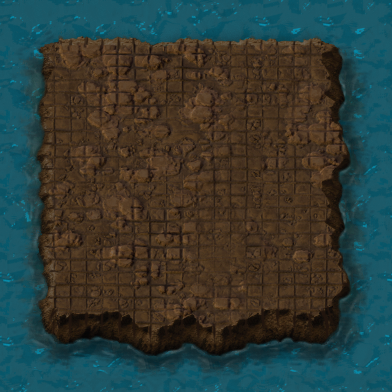
Fluid mixing saga Dominik Hello Factorians, Today I would like to talk to you about my favourite subject - fluid mixing and its prevention. It is a new mechanic introduced in 0.17 that seemed quite simple at first, but has been giving me nightmares ever since. A while ago I took on the task of updating the fluid system (FFF-260). The way it works in 0.16 is that the fluid boxes (the thing that holds the fluid and is contained in entities like pipes or refineries) had no organisation whatsoever except their connections. They would sit there and do nothing and then once per update send fluid somewhere. It had it's issues especially with symmetry, and when you happened to put some fluid where it did not belong, you could end up requiring major demolition works. My task was to develop a better algorithm to move the fluids, and a very very optional side task I had in mind was to do something about the fluids getting to wrong places and mixing. We started by organizing the fluid boxes into systems (connected FBs make a system) managed by a special fluid manager, and optimizing the heck out of it (FFF-271). Soon after, I started working on the new algorithm and anti fluid-mixing. Until then nobody really considered preventing the fluid mixing seriously as it did not seem possible. But when I thought about it, it did not seem that hard. The idea is to simply not allow any action that would lead to fluids getting where they are not supposed to go. When you build a steam pipeline, you should not need nor want it to touch another fluid. In principle, it would only require a few quite realistic mechanisms: A connected block of fluid boxes would either be fluid-free, or it would be locked to one fluid. Two such blocks can connect only if they are compatible - either one has no fluid lock, or they have the same fluid. An assembler can only set a recipe if it is compatible with the fluid locks on its fluid boxes. Have a migration from old saves that can contain mixing. By creating the fluid systems right before, number 1 was almost finished and we only needed to assign the lock. It would be set either by a fluid, or by a 'filter', which is a fluidbox that is set to use a fluid - such as a water pump using water, or assembler having some inputs/outputs given by a recipe. After a while I had both the fluid algorithm and the mixing done (FFF-274). The mixing was not that easy (like 5x more complicated) but it worked pretty well. As for the fluid algorithm, V453000 and Twinsen found some issues with waves on a macro scale, and because it was right before releasing the 0.17 experimental, we decided to hold it off on it for the time being (we have a new version now that seems okay, but has to wait for 0.17 becoming stable first). The mixing made it through though and seemed quite finished. It turned out that the work on it was at most one tenth complete. Some difficulties appeared already before the initial release, but that was only a hint of what would come later. One by one, then ten by ten, bugs started coming. The problem is that as often as not, they were not just little issues with simple fixes. Instead, over and over, they turned the current solution on its head and the code had to be completely rewritten in order to account for the new case. As of now, almost exactly half a year and many rewrites later, it is still not fully bug free. The number one issue was with Assembling machines. It turned out that their code was pretty messy and does not simply allow the checks I needed, so it had to be refactored. The next problem was that the check was not only required when setting a recipe on an existing assembler - as I naively thought - but in about one million different situations I would not dream existed. Building a fixed recipe assembler. Reviving an assembler. Rotating. Blueprint of an assembler. Blueprint with a recipe and a rotation placed over a ghost with a non-default rotation during a full moon. Teleport. Script building. Copy-paste settings. Any combination of these. Pretty much every case would go through different paths in the code and behave entirely differently. Fixing one would break another and so tons of tests had to be written. When these cases finally worked, it turned out that doing these operations when they fail (e.g. can’t rotate because it would cause mixing) brings another wave of issues. And then mods come and the complexity multiplies. All this, although in a more simple form, had to be done for all other entities that can use fluid too, such as inserters (mods...). Another number one issue are underground connections. When playing, you would not think twice about them but on a closer look they are all but simple. They have this (cough) uncomfortable feature (want to shoot myself) that you can build another underground pipe between them (or take it out) and a complex reconnection logic jumps in. It means that based on building order, connections are established and reestablished differently. This is a big thing when building a blueprint with many pipes, or loading a save game. But the largest issue is one tiny corner case with huge implications. Have two underground pipes that have different fluids, but are split by a third, and it gets removed. Until now mixing was theoretically completely avoidable, but here it was and there was nothing to stop it. As a result, a new concept is introduced - a blocked connection. An underground connection that would normally connect but can’t. Establishing it is the easier part. But when does it get fixed? An entity miles away gets rotated, that splits a fluid system, disconnecting the blocked connection from a fluid filter on the other side, and the connection should unblock. But even something as simple as a rotation contains fluid fixes and re-establishing of fluid boxes and if it fails, it still fixes the blocked connection in the process and it can’t be undone... You get the picture. And we are still talking about underground pipes, while anything can have underground connections, including said assemblers, which the previous code did not consider at all. The complexity just goes deeper and deeper, and Rseding is probably right that we should have never gone this way at all. So the bug fixing has been basically running in circles - clearing one batch of bugs, thinking that those were the last ones and the ordeal is finally over, only to find another batch (ideally from some bizzare modder idea) a few days later. Many times I wished that mods never existed. Nor multiplayer, or any players at all for that matter. About two months ago all seemed really fine, with basically no reports and just a few crashes in the automated crash reports. At that moment another nightmare materialized in the form of a talented volunteer bug tester named boskid, who took on a personal crusade to break the fluids to dust (I actually imagine him sitting in his dark room with evil laughter, dreaming about making my next day worse than the previous). In all seriousness, he has done a great deal of work with his bug testing, creating bizzare modded cases and testing scripts, and deserves a big thanks. He is actually coming to our offices next week, so follow the news for reports of developers falling out of windows. An example of a nice configuration he found (and I can’t fix). The whole time we were taking the offensive approach to mixing - crash the game when it happens - so that we know about bugs to fix them. Recently we have decided to put a stop to it and have the mixing automatically fix itself once it is detected, eyeing the end of this episode. Right now I have 3 mixing bugs on the list and I am sure those are the last, and mixing will be done (lying to myself is a way to cope with it) and the new fluid algorithm can come soon after :).
Hi folks, so this has been one of those weeks when it is suddenly Friday afternoon and you are wondering where did the week go. Fortunately there are the Friday Facts to put myself together and retrace the events=)) The Grey Zone At the moment we are kind of in a grey zone. The 0.12 bugs are more or less solved (though there is still some "popping up" of new issues) and the full speed work on 0.13 hasn't started yet (actually not even slow speed work has started). We are finishing with little (often technical debt) tasks from our internal lists. There is just ton of issues like: fixing locale fonts, updating tips and tricks, writing tests for compilcated existing functionality, tweaking our automatic deployment and testing setup, auto-generating the Lua API documentation, fixing sound glitches, etc. The list goes on. One of the tasks has been related to our headless binary. This is the binary to run on linux servers without graphics card. This is now available in the downloads section alongside other releases. There is a small convenience difference where by clicking the download, the resulting download link (from one of our cdn servers) is valid for 10 minutes (instead of regular 10 seconds) so the server owner can conveniently copy this url and download the game directly from the server. In the future we plan to have the updater work for headless servers as well so that will make things even more convenient. The good news is that the list of these little tasks is getting shorter. Also we have already more or less agreed on distribution of big tasks for the 0.13. These have been discussed in the past and are also visible at our roadmap. Some work on these should start already next week. We will keep you up to date=)
Alpha blending and pre-multiplied alpha From time to time there is some confusion inside the team about how sprites are blended with the background when rendering, and what kind of effects we are able to achieve by tinting the sprites. So I (Posila) have decided to write up a few paragraphs about how alpha blending works (not only in Factorio), and what it means when someone talks about pre-multiplied alpha. When the GPU is figuring out what color it should draw on a particular pixel position, it runs a blending operation on just the computed pixel color and original color in the render target. There are several common blending operation modes (additive, multiplicative, overwrite, etc.), but the most common one used in Factorio is alpha blending. It calculates the resulting color using following equation (usually the new color is called 'source' and the background color that is being overwritten is called 'destination'): You can easily see that a source with alpha 0 will be fully transparent and the one with alpha 1 will be fully opaque. In games it is common to use a pre-multiplied alpha, which means the color channels of textures are stored in memory being already pre-multiplied by the alpha channel. Alpha blending with pre-multiplied alpha uses a simplified equation: Besides a slight performance gain from the GPU not having to do bunch of multiplication all the time, this equation allow us to do some extra effects we couldn't do without pre-multiplied alpha. Factorio renders sprites as colored polygons with texture. We usually refer to the color of a polygon as the 'tint', and every pixel of a sprite is multiplied with its tint. This is useful mainly for color masks, for example the diesel locomotive has a grayscale color mask which is tinted by the color it has set. Tints should have a pre-multiplied alpha too, but they don't have to, so we can use it to lie about the colors and alpha to the GPU. For example if we use tint {r=1,g=1,b=1,a=0} we can simplify previous equation even further and we get additive blending: This is great because that means we can switch between alpha and additive blending without having to change the blending state in graphics API, which would break sprite batching and result in an increase in the CPU cost of rendering. For some effects we use a tint with alpha between 0 and 1 heavily. This makes the result appear to be a combination of additive and alpha blending. For example, fire would eventually blend into a single solid color with pure additive blending, or would not look like it is emitting light with pure alpha blending. By using tint (1, 1, 1, 0.35) on the flame sprites, the brightness of overlapping flames adds up partially, but the flames don't completely lose their details. The same trick is used for smoke. Textures with pre-multiplied alpha also produce better results in texture filtering , which is probably the main reason why they are so widely used in the videogame industry.
