Hello, As the 2.0 release approaches, we have been spending time polishing and resolving things which we found during our playtesting.
Hello there, I just took a short walk around the block to get some inspiration for the Friday Facts (it has been one of those weeks where many things that are not really worth talking about took majority of our time). And it doesn't feel like winter at all outside. More like the beginning of the spring. This has been the case for past couple of winters actually here in Czech Republic. It seems like there is some truth to the global warming. This triggers interesting associations with Factorio in my head. Things like: "Hmmm, so maybe all this warm weather is really caused by us (as a society) producing too much pollution. We should switch to Solar energy ASAP before nasty creatures start attacking us". Professional deformation I suppose=))

Map editor Lua snippets wheybags In the last few weeks, we've really accelerated our work on the campaign. We've been pushing ahead a lot with both the scripting and blocking out the physical level design. One of the problems we've come up against a lot, is that we often need to perform custom edits to the map, which are quite tedious, but not common enough to add a new tool to the map editor for them. For example, something like "disable all the spawners in this region". This kind of problem is easily solved with a little bit of custom Lua code, but getting the specification of the area we want to edit into Lua is a painful process of noting down and typing out location coordinates. It is also easy to lose track of these Lua snippets, as there is no good place to save them. To solve this problem, we decided to add a Lua snippet tool to the map editor. This tool will let you drag your cursor over an area, and it will then run your custom Lua code on that area. The snippets are named, and saved in your player-data.json, so you can keep them around for later. For example, this simple snippet replaces trees with biters. Currently, there doesn't seem to be a very big scene for community made custom maps/scenarios with custom maps, and we're hoping that the example from the campaign once released, as well as the much improved editor we have in 0.17 will encourage more people to give this a go.
Game Developers Session 2018 GDS 2018 will be taking place next week, running from Friday 7th to Saturday 8th. This year, like last year, we are silver sponsors of the event, which means you will see some Factorio branding around the event and in their official booklet. Part of the preparation on our side was to produce a nice graphical asset for their use, which you can see below: The image is an aesthetic composition to showcase the design and theme of the game and its elements (while not necessarily making logical sense), and also contains the first public display of our new official Wube Software logo. About half the office team here will be attending the event, so if you are also going you might bump into us.
0.13 release is getting close. The programming guys are trying to finish the features so we can start internal playtesting and bugfixing next week. The art guys are working hard on the new trains graphics. In the meantime, here's some more information about the circuit network.
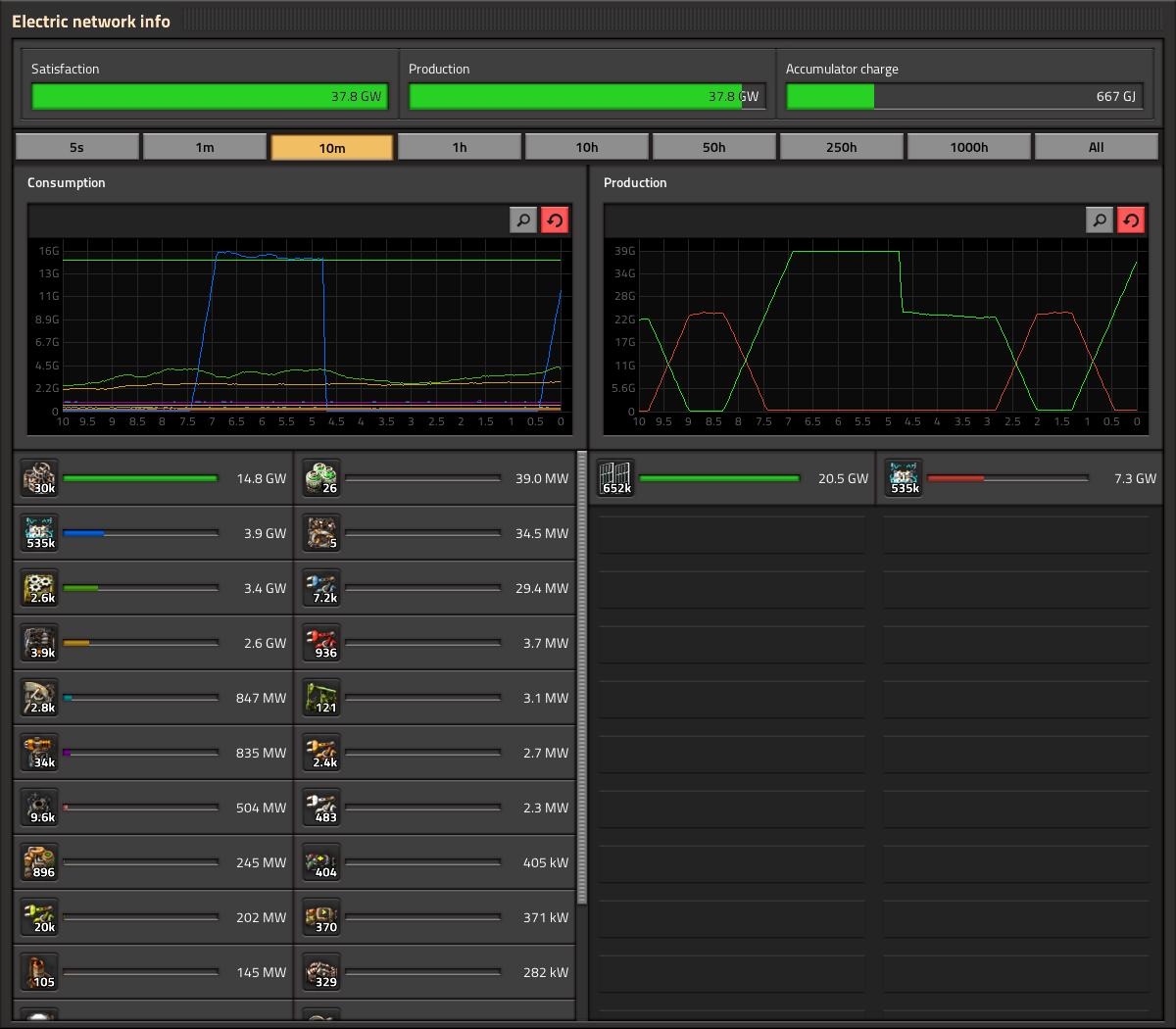
Statistics GUI Klonan, Oxyd The statistics GUI (electric network stats, production stats, etc.) is one of the GUIs that has been in the game for a very long time, and has had its functionality fleshed out reasonably over the years. It was not long ago when Twinsen added hovering and highlighting to the graphs. Given that, and the relatively short timeframe for 1.0 release, the update of the statistics GUI has really just been a style update, no new features or heavy logic rewriting. Oxyd has most of the work done, so we are happy to show some real in-game screenshots of how it looks: A notable change with the electric stats is that the Satisfaction/Production/Accumulator charge are next to each other in a single row, as opposed to each in a separate row. The label for the exact amount has also been moved to inside of the progress bar, which itself is much thicker. The production stats are pretty much the same functionality wise. One new button you might spot is the search button. However there are some problems with the search feature. As you can see, production and consumption frames have a different search box independent from each other. The main problem is when pressing CTRL+F to perform a regular search: How do we know which frame to open? Of course this could lead to different solutions like the use of a cycle for the focus of the search, in which the second time you press CTRL+F the other frame gets the focus. Or both of the search boxes open at the same time but only one gets the focus. Or only one frame gets the focus and the other one works only by pressing the button. But let's face it, these "solutions" are not solid at all and create inconsistency in the main design. To solve this issue we decided that the simplest way to go is the use of just one search box on the header of the panel. This new location works as a general feature for the entire panel. One single search gives you 2 results, one on each frame. This solution is used in the new character window -to come soon- making it consistent with the whole design of the GUI. You can also see we took this opportunity to integrate the Kill statistics in with the rest, instead of being its own window with its own hotkey. The Statistics GUIs will need a few tweaks and polishings here and there before it is ready for release, but unless something unexpected happens you can expect it coming out in a release soon.
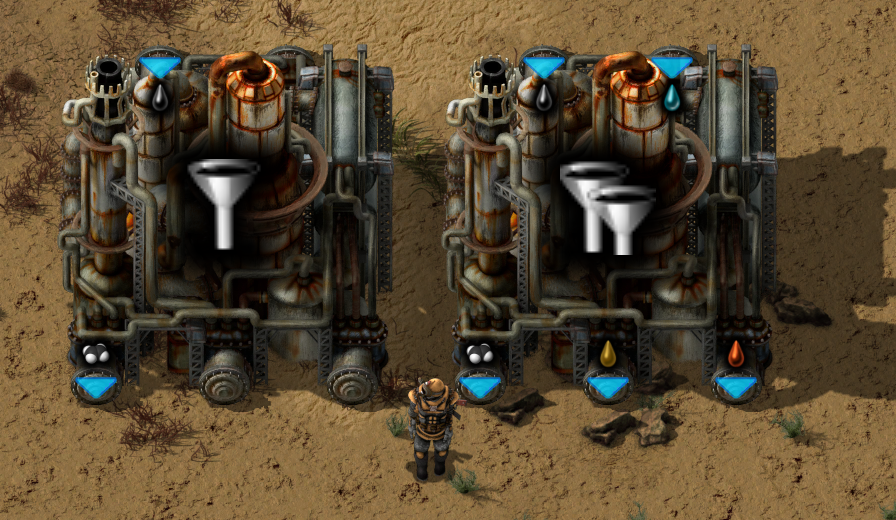
Hello, We are down to 28 bugs on the forum. The last bugs are often the ones we have been putting off for a reason, they generally require some more meaningful changes and decisions. That is why this week we have a lot to discuss.
Hello, another week has passed here, with part of the team still out in Taiwan. They should be back next week, with some news of their great adventure.
